How to Access OCLC's PRISM

Ways of linking to OCLC PRISM database service:

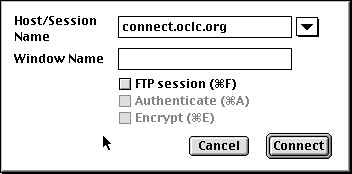
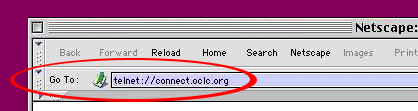
Via Telnet: Entering OCLC's Telnet Address
Important Notes for using OCLC:

  1. The <control C> command is normally used to interrupt some software operation or process on Windows-based PCs.
    • In OCLC, though, it is used as a Send Key.
    • Consequently, one may have to turn off the <control C> command in telnet as an "interrupt process."
    • How to turn it off:(This may vary depending on the version of telnet you are using):
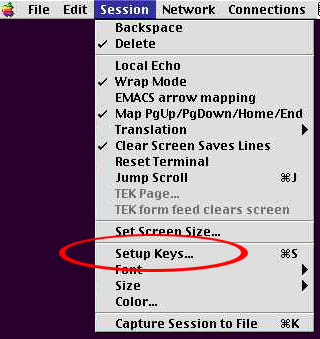
      • Select the Session pull-down menu
      • Pull down the highlight to Set-Up Keys.

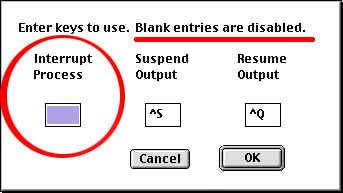
      • In the small window that is displayed, delete <control C> (it usually appears as ^C) as the Setup Key.

      • Click on the <okay> button.
  2. Local Echo may have to be turned on so as to be able to see what you are typing in.
    • How to do it:
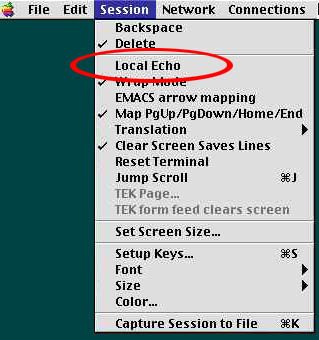
      • Select the Session pull-down menu
      • Turning the Local Echo on by highlighting it.
      • Click on the <okay> button.
    • If you go back and look at the menu, you will see a check by the Local Echo.

Logging on to PRISM

To log off:

NOTE:

To: LT65 INDEX
To: GREENSHEET
To:
To: TOP OF PAGE:
So many urls. So little time. TM
(c) 1996-2003 - optimized for Netscape & 800x600 display