|
Web-based
MELVYL:
Displaying Search Results (Records) & Selecting
Retrieval
|
Display
Format
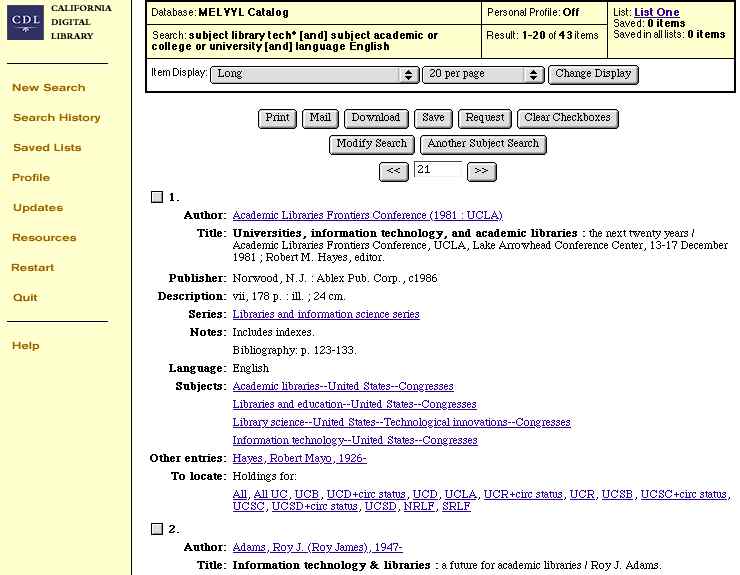
- Your display of individual
records (results) from your search is in one of the several
formats you selected on Search Results.
- You can change the display format
by:
- Clicking on the Item
Display pull-down menu and choosing another
format.
- Clicking on the Change
Display button.
- The following is in the plain
Long format, which does not included Field Tags or
Abstracts.
Retrieving
Records: Selection of Method
- You can now choose any of several
methods of retrieving the information:
- Print
- Mail
- Download
- Save (to a personal
list stored on MELVYL's servers)
- Click on the appropriate
button.
Display: Long (no
field Tags or abstracts)