Web-based MELVYL: Power Search
Scope
Power Search
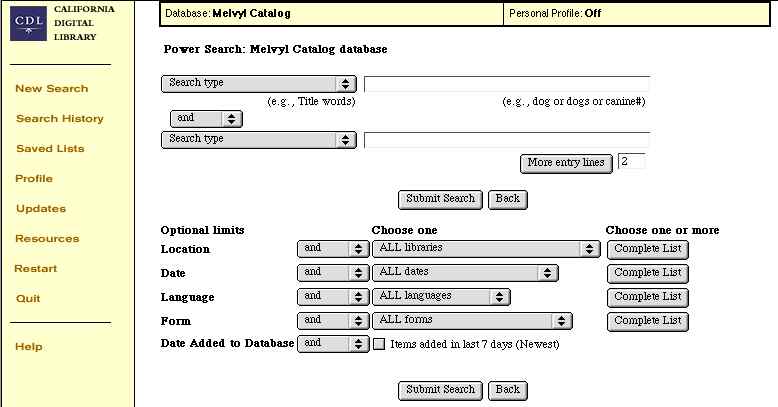
provides multiple pull-down menus to specify which fields ("Search type") that you want to search in.
If you do not have enough fields, change the number in the "
More Entry Lines
" entry field, then click on the
More Entry Line
button.
You can use
Truncation operators
(there is
no
internal wild card):
Hash Mark
#
Asterisk
*
You can also use
Booleans
:
and
,
or
,
not
You also have pull-down
Limit
menus that facilitate creation of a narrower, more targeted (precision) search.
The
Location
,
Date
,
Language
, and
Form Limit
menus also have "Complete List" buttons which give you many more options for the paticular Limit.
Display
To:
LT65 INDEX
To:
GREENSHEET
To:
To:
TOP OF PAGE:
So many urls. So little time.
T
M
(c) 1996-2003
- optimized for Netscape & 800x600 display


 -
optimized for Netscape & 800x600
display
-
optimized for Netscape & 800x600
display