 |
|
|
|
|
|
|
Scope
Procedure
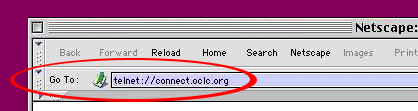
1. The following window may be brought up.
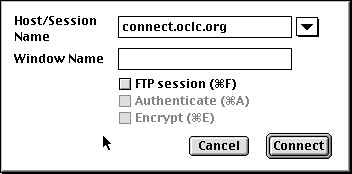
2. Alternatively, a window similar to the following may be brought up directly. (The Window below is the Log-in window for OCLC.)

Deleting Text in Telnet
|
|
|
 |
|
|
|
|||
 -
optimized for Netscape & 800x600
display -
optimized for Netscape & 800x600
display |
|||